Dropped Your Phone in Water? Here’s What to Do (and What Not to Do)
July 12, 2026
Older Computer Feeling Sluggish? An SSD and RAM Upgrade Usually Fixes It
July 12, 2026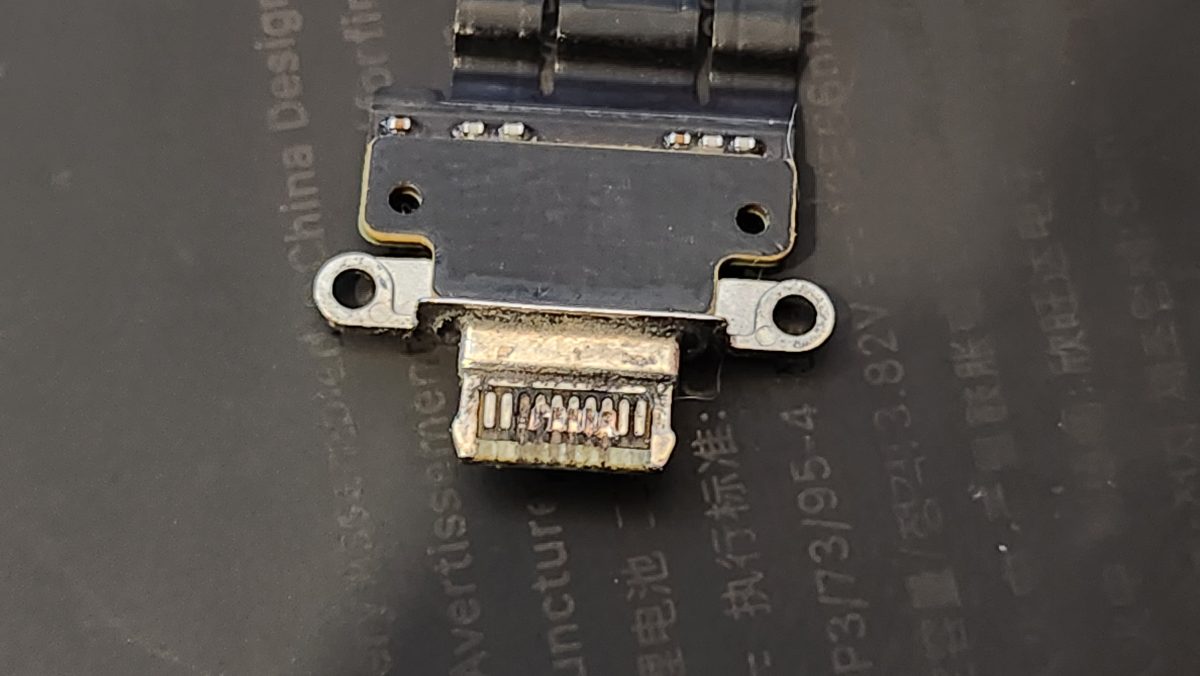
You plug in your phone for the night, wake up, and… still at 12%. Or maybe it only charges when you hold the cable at just the right angle. Before you assume the battery is shot — or worse, that you need a whole new phone — it’s worth knowing that the real culprit is often the charging port, not the battery.
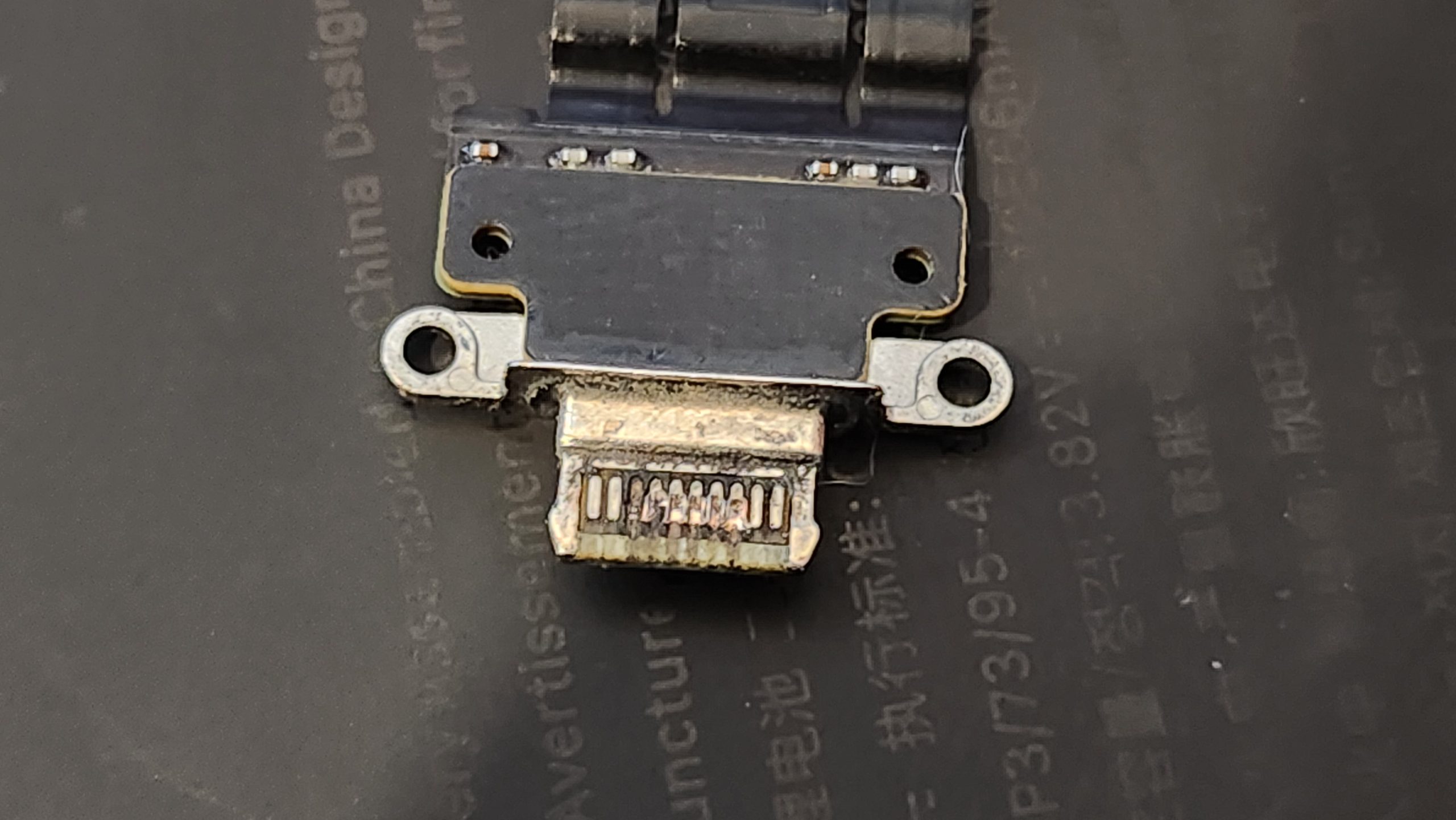
Why it’s usually the port
Your charging port takes a beating. You plug and unplug it hundreds of times a month, and it lives in your pocket collecting lint, dust, and fuzz. Over time that debris packs into the port, or the tiny pins inside get bent or worn out. The result is a connection that’s loose, slow, or dead — even though your battery is perfectly fine.
Try this first
- Test another cable and charger. Cables fail constantly, especially near the ends. Borrow a known-good one before anything else.
- Check the outlet you’re plugging into. Try a different wall outlet, and avoid weak USB ports on power strips or older laptops.
- Gently clear the port. With the phone powered off, use a wooden or plastic toothpick to carefully lift out packed lint. Never use anything metal.
When it’s time to bring it in
If you’ve tried a new cable and cleaned the port and it still won’t charge — or it only charges at a certain angle, gets hot, or the cable feels loose and wobbly — you’re likely looking at a worn charging port or a board-level issue. These aren’t things to force. Jamming cables in harder can crack solder joints and turn a simple fix into a bigger one.
How Device Hero can help
We’ll figure out exactly what’s going on — whether it’s the port, the battery, or something on the board — instead of guessing, and it starts with a free diagnosis on the spot (no appointment needed). Most charging-port repairs are done the same day, usually in about 1–2 hours, and they’re backed by our 60-day warranty. Bring it by Device Hero at 209 Lexington St, Manor, TX, or call 512-774-4376 or 512-996-7134, and we’ll get you powered back up.
¿Tu teléfono no carga? Puede que no sea la batería
Versión en español
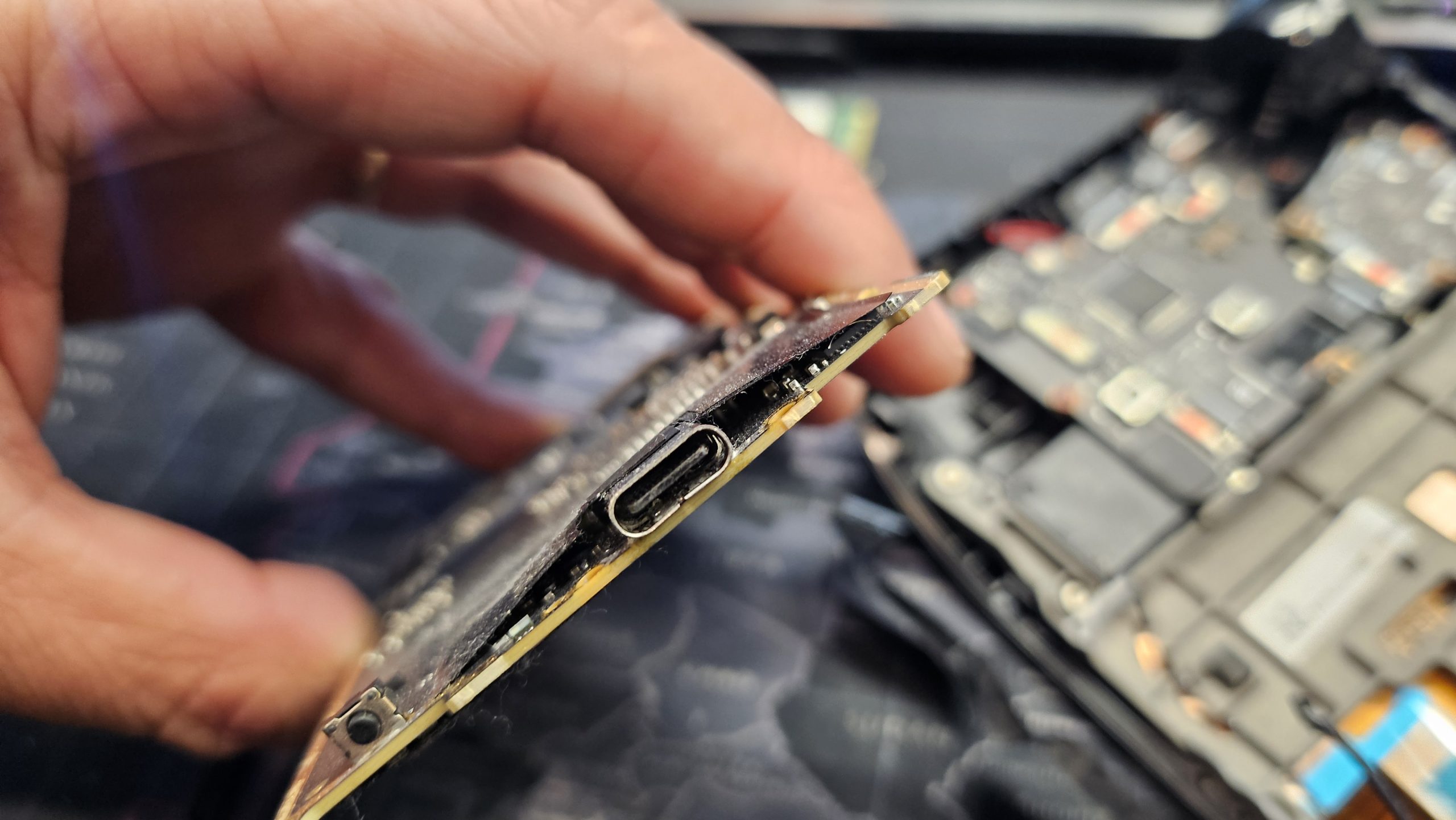
Conectas el teléfono en la noche, despiertas y… sigue en 12%. O tal vez solo carga cuando sostienes el cable en cierto ángulo. Antes de dar por hecho que la batería está muerta — o peor, que necesitas un teléfono nuevo — vale la pena saber que muchas veces el verdadero culpable es el puerto de carga, no la batería.
Por qué casi siempre es el puerto
El puerto de carga sufre mucho. Lo conectas y desconectas cientos de veces al mes, y vive en tu bolsillo juntando pelusa, polvo y mugre. Con el tiempo esa suciedad se compacta dentro del puerto, o los pequeños pines de adentro se doblan o se desgastan. El resultado es una conexión floja, lenta o muerta — aunque tu batería esté en perfecto estado.
Prueba esto primero
- Prueba otro cable y otro cargador. Los cables fallan seguido, sobre todo cerca de las puntas. Consigue uno que sepas que sirve antes que nada.
- Revisa el contacto donde conectas. Prueba otro enchufe de pared y evita los puertos USB débiles de las regletas o de las laptops viejas.
- Limpia el puerto con cuidado. Con el teléfono apagado, usa un palillo de madera o plástico para sacar con cuidado la pelusa compactada. Nunca uses nada de metal.
Cuándo conviene traerlo
Si ya probaste con un cable nuevo y limpiaste el puerto y aun así no carga — o solo carga en cierto ángulo, se calienta, o el cable se siente flojo — lo más probable es que sea un puerto de carga desgastado o un problema en la placa. Esto no hay que forzarlo. Meter el cable a la fuerza puede romper las soldaduras y convertir un arreglo sencillo en uno más grande.
Cómo te puede ayudar Device Hero
Vamos a encontrar exactamente qué está pasando — si es el puerto, la batería o algo en la placa — en lugar de adivinar, y todo empieza con un diagnóstico gratis en el momento (sin necesidad de cita). La mayoría de las reparaciones de puerto de carga se hacen el mismo día, por lo general en 1 a 2 horas, y están respaldadas por nuestra garantía de 60 días. Pásate por Device Hero en 209 Lexington St, Manor, TX, o llama al 512-774-4376 or 512-996-7134, y te dejamos con pila otra vez.
Dealing with this right now? Device Hero handles battery replacement at our shop in Manor, TX — also serving Pflugerville and Elgin. Call 512-774-4376 or 512-996-7134 or stop by 209 Lexington St.