
Meet the BenchTool: The Ultimate All-in-One Hardware Repair Sidekick
June 25, 2026
Phone Won’t Charge? It Might Not Be the Battery
July 12, 2026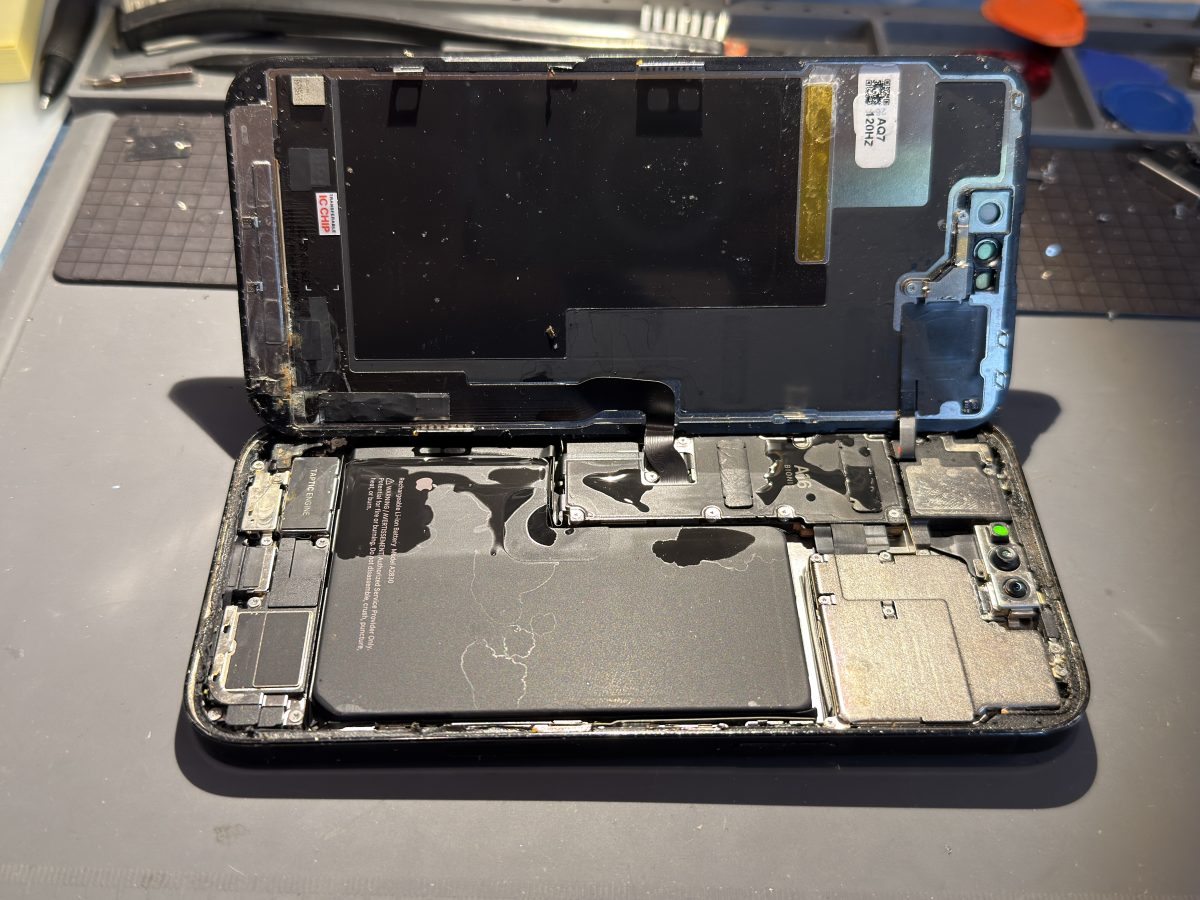
It happens in a splash. Your phone slips into the pool, takes a swim in the toilet, or gets caught in a sudden downpour — and your stomach drops right along with it. The good news: acting fast and skipping a few common mistakes can be the difference between a phone that’s saved and one that’s lost. Here’s exactly what to do.
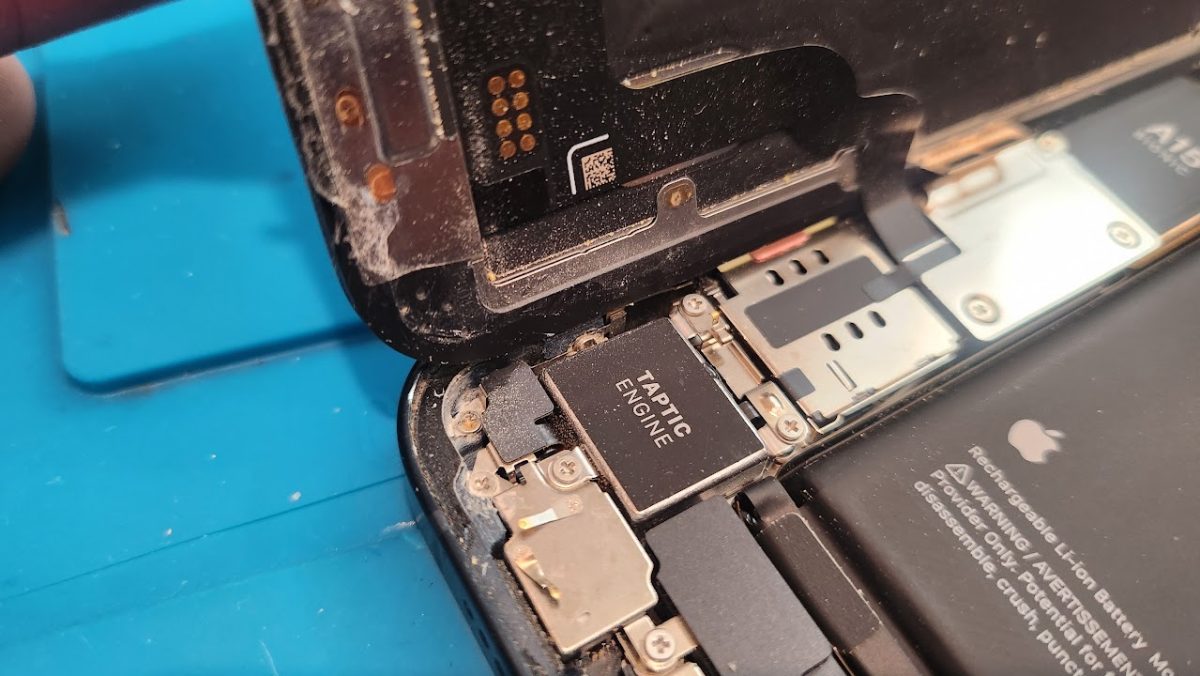
-Corrosion and rust can cause permanent damage
First, do these things right away
Get it out of the water as quickly as you can, then power it off — and leave it off. Don’t turn it back on “just to check,” because running electricity through a wet phone is what actually fries it. Take off the case and pop out the SIM tray (and the microSD card, if it has one). Gently wipe the outside dry with a soft cloth, and stand the phone upright so gravity can help water drain away from the delicate parts. Then bring it in as soon as possible — with liquid damage, time is everything.
Please don’t do these things
- Skip the rice. It’s a myth. Rice doesn’t pull moisture out of the sealed inside of your phone, and the dust and starch can actually clog your ports and speakers.
- No hair dryers, ovens, or radiators. Heat can warp components and push moisture deeper into the phone instead of removing it.
- Don’t charge it. Plugging in a wet phone is one of the fastest ways to short it out for good.
- Don’t shake it or mash the buttons. That just moves water into places it hasn’t reached yet.
Why “it still works” can be a trap
Here’s the sneaky part about water damage: your phone might power on and seem totally fine for a day or two — then quit for good. Water leaves behind minerals that slowly corrode the tiny connections on the logic board. The screen may start to flicker, the battery may drain fast, the charging port may die, or the whole thing may simply stop. The sooner that corrosion is cleaned off, the better your odds of a full recovery.
How Device Hero can help
This is where a proper repair beats hoping for the best. We carefully open up your device, clean the board, and remove corrosion before it spreads — then replace any parts the water actually damaged. And if your phone is already gone? Don’t give up on your photos and files yet. In many cases we can still recover your data even when the phone itself won’t power on. Bring it to Device Hero at 209 Lexington St, Manor, TX as soon as you can — we’ll take a look with a free diagnosis on the spot, no appointment needed, and every repair is backed by our 60-day warranty. You can also reach us at 512-774-4376 or 512-996-7134. The faster we get to it, the more we can save.
¿Se te cayó el teléfono al agua? Qué hacer (y qué no hacer)
Versión en español
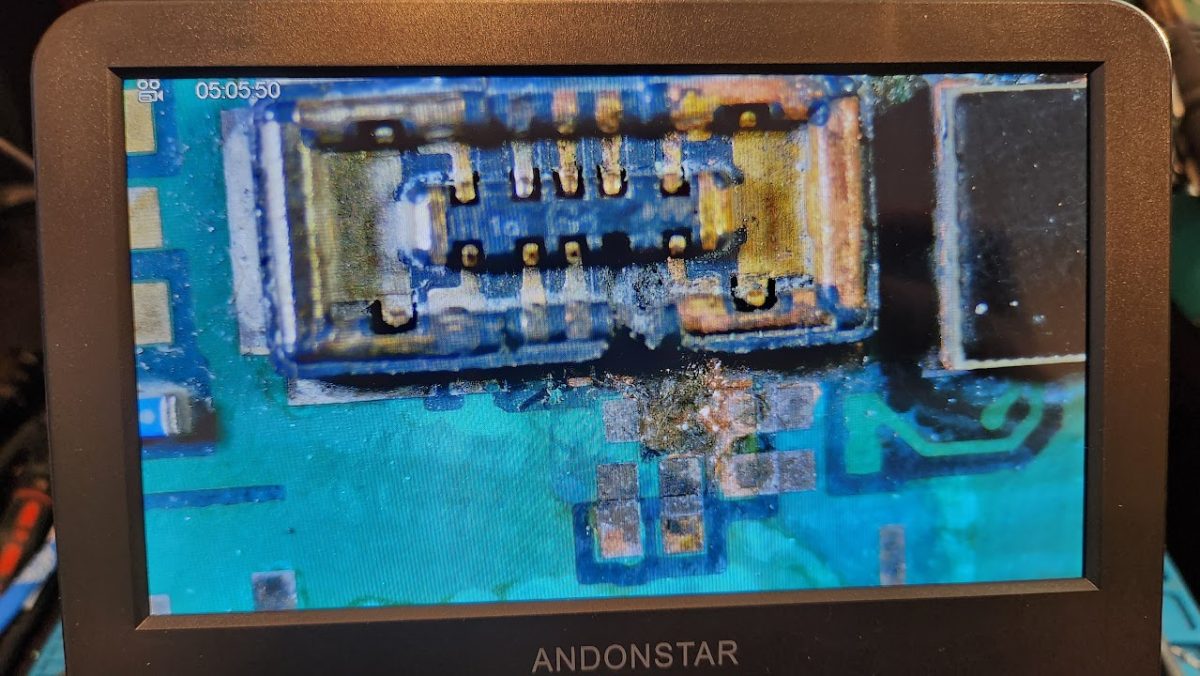
-La corrosión y el óxido pueden causar daños permanentes.
Pasa en un instante. Se te resbala el teléfono a la alberca, se cae al inodoro o lo sorprende un aguacero — y el corazón se te va a los pies. La buena noticia: actuar rápido y evitar algunos errores comunes puede ser la diferencia entre un teléfono que se salva y uno que se pierde. Esto es lo que debes hacer.
Primero, haz esto de inmediato
Sácalo del agua lo más rápido posible y apágalo — y déjalo apagado. No lo enciendas “solo para revisar,” porque hacer pasar electricidad por un teléfono mojado es justo lo que lo daña. Quítale el case y saca la bandeja del SIM (y la tarjeta microSD, si tiene). Seca el exterior con cuidado usando un paño suave y coloca el teléfono de pie para que la gravedad ayude a drenar el agua lejos de las partes delicadas. Luego tráelo lo antes posible — con el daño por líquido, el tiempo lo es todo.
Por favor, no hagas esto
- Olvídate del arroz. Es un mito. El arroz no saca la humedad del interior sellado del teléfono, y el polvo y el almidón pueden tapar los puertos y las bocinas.
- Nada de secadoras, hornos ni calentadores. El calor puede deformar los componentes y empujar la humedad más adentro en lugar de sacarla.
- No lo cargues. Conectar un teléfono mojado es una de las formas más rápidas de dañarlo por completo.
- No lo agites ni aprietes los botones. Eso solo mueve el agua a lugares que aún no había alcanzado.
Por qué “todavía funciona” puede engañarte
Esta es la parte engañosa del daño por agua: tu teléfono puede encender y parecer perfectamente normal por un día o dos — y luego dejar de funcionar para siempre. El agua deja minerales que poco a poco corroen las diminutas conexiones de la placa. La pantalla puede parpadear, la batería puede agotarse rápido, el puerto de carga puede fallar, o todo puede simplemente apagarse. Entre más pronto se limpie esa corrosión, mayores serán las probabilidades de recuperarlo por completo.
Cómo te puede ayudar Device Hero
Aquí es donde una reparación adecuada le gana a cruzar los dedos. Abrimos tu dispositivo con cuidado, limpiamos la placa y quitamos la corrosión antes de que se extienda — y luego reemplazamos las piezas que el agua sí dañó. ¿Y si tu teléfono ya no enciende? No te des por vencido con tus fotos y archivos todavía. En muchos casos podemos recuperar tu información aunque el teléfono ya no prenda. Tráelo a Device Hero en 209 Lexington St, Manor, TX lo antes posible — lo revisamos con un diagnóstico gratis en el momento, sin necesidad de cita, y cada reparación está respaldada por nuestra garantía de 60 días. También puedes llamarnos al 512-774-4376 or 512-996-7134. Entre más rápido lo veamos, más podremos salvar.
Dealing with this right now? Device Hero handles phone repair at our shop in Manor, TX — also serving Round Rock and East Austin. Call 512-774-4376 or 512-996-7134 or stop by 209 Lexington St.